Template Management
Umo Editor Next provides template management functionality, allowing you to create, manage, and use document templates within Umo Editor.
Screenshots
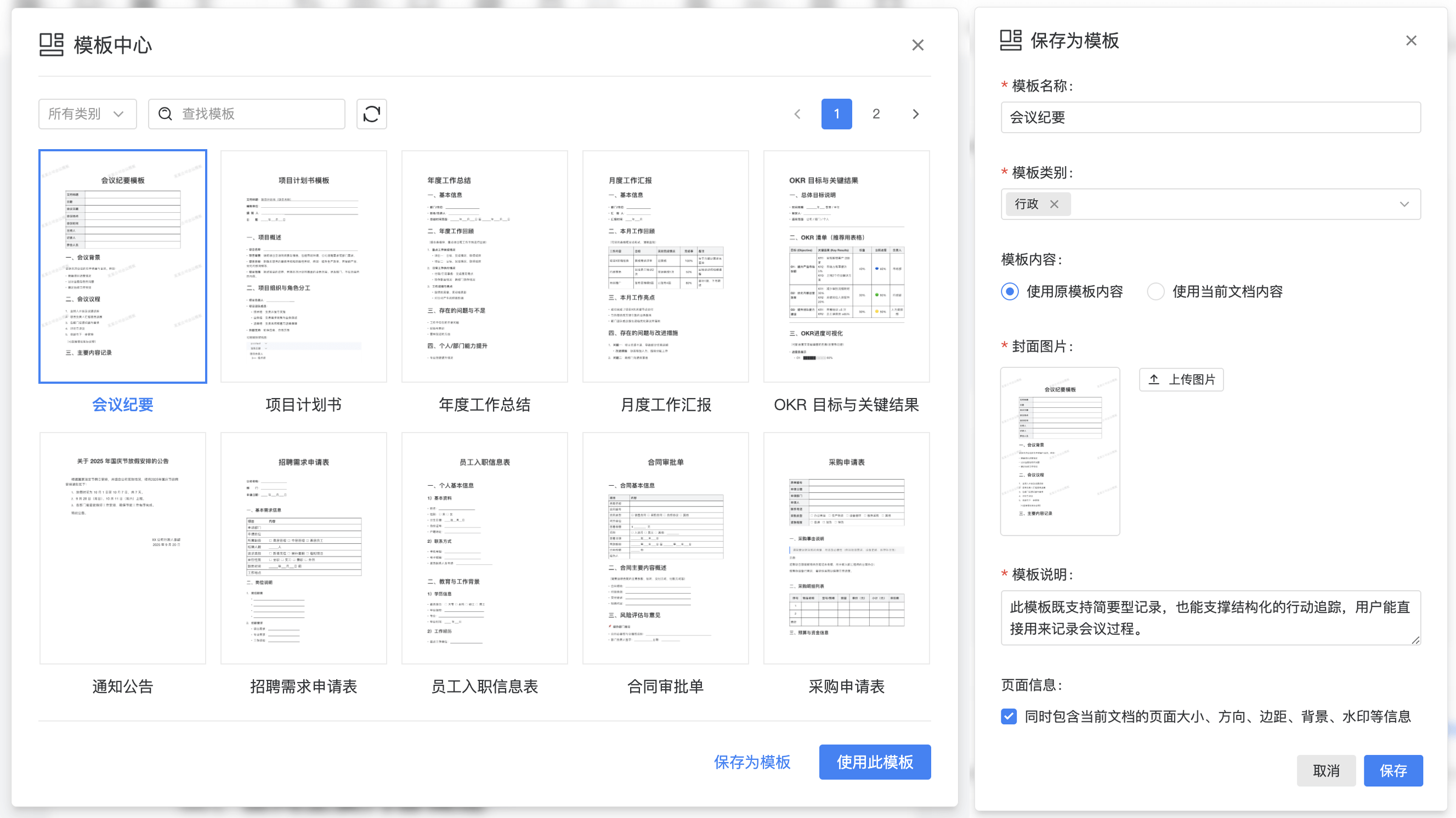
Use Cases
- Standardized documents (contracts/policies/reports): keep structure and formatting consistent
- Enterprise policy library: maintain templates by category and reuse them across teams
- Form-like authoring: define fixed fields and paragraphs, then fill in placeholders
- Multi-role workflows: separate template authors from business fillers to reduce mistakes
- Delivery document production: ensure stable output formatting (Word/PDF/images)
- Long-term template evolution: combine version history and Track Changes for auditability
Works Well With
- Content Locking: lock the template skeleton and key clauses, leaving only fillable areas editable: Content Locking
- Track Changes: enable Track Changes while maintaining templates, finalize, then publish: Track Changes
- Version History: save milestones for templates or key documents for rollback and comparison: Version History
- Import: import existing Word/Office docs and curate them into templates: Import
- Comments: discuss clauses and filling rules in threads and keep decisions traceable: Comments
- Document Forms: turn templates into standardized business documents that can be filled manually or populated programmatically: Document Forms
Configuration Example
const defaultOptions = {
  // Template configuration options
  template: {
    categories: [],
    async onList() {},
    async onGet() {},
    async onCreate() {},
    async onUpdate() {},
    async onDelete() {},
  },
}
Configuration Description
template.categories
Description: A list of template categories. You can customize template categories according to your needs. Each category is an object containing a category name and ID.
Type: Array
Default: []
Example: [{ label: 'Example Category', value: '1' }]
template.onList
Description: An asynchronous method to retrieve the template list. You need to return the template list in this method.
Type: Async Function
Parameters: Object
pageIndex: Current page number, starting from 1.pageSize: Number of templates per page, default is 10.keyword: Search keyword, used to search template names.category: Category value, seetemplate.categories, used to filter templates by category value.
Return Value: See the corresponding example API in the Document Template Example API section of Umo Editor Server.
template.onGet
Description: An asynchronous method to retrieve template details. You need to return the template details in this method.
Type: Async Function
Parameters: String
id: Template ID, used to retrieve template details by ID.
Return Value: See the corresponding example API in the Document Template Example API section of Umo Editor Server.
template.onCreate
Description: An asynchronous method to create a template. You need to create the template and return the template details in this method.
Type: Async Function
Parameters: Object, the template content to be created.
Return Value: See the corresponding example API in the Document Template Example API section of Umo Editor Server.
template.onUpdate
Description: An asynchronous method to update a template. You need to update the template and return the template details in this method.
Type: Async Function
Parameters: Object
id: Template ID, used to update the template by ID.data: The template content to be updated.
Return Value: See the corresponding example API in the Document Template Example API section of Umo Editor Server.
template.onDelete
Description: An asynchronous method to delete a template. You need to delete the template and return the deletion result in this method.
Type: Async Function
Parameters: String
id: Template ID, used to delete the template by ID.
Return Value: See the corresponding example API in the Document Template Example API section of Umo Editor Server.