AI Chat Assistant
The AI Chat Assistant is an interactive tool designed for document editing, allowing users to talk with AI in real time while they work. It can understand selected text and contextual content, provide suggestions such as continuation, rewrite, polish, and translation, and supports multi-turn conversations, history, and file uploads to help users create and optimize documents efficiently.
It supports all document node types, enabling fast creation, editing, and optimization of text, images, tables, code blocks, and more.
Typical features include:
- Private deployment support: the frontend only sends requests and renders output; models and auth are controlled by your backend
- Multi-turn conversation: append content continuously via SSE streaming
- Multiple models: configure multiple
ai.models[]and switch in the UI - Reasoning mode: if
ai.models[].reasoning = true, toggle showing/enabling reasoning - Message history: current version uses local history by default (no server API required)
- File uploads: upload images/files and send attachment metadata to your backend
- Skill modes: switch skills in chat based on your configuration
Before integrating, read Getting Started.
Screenshot
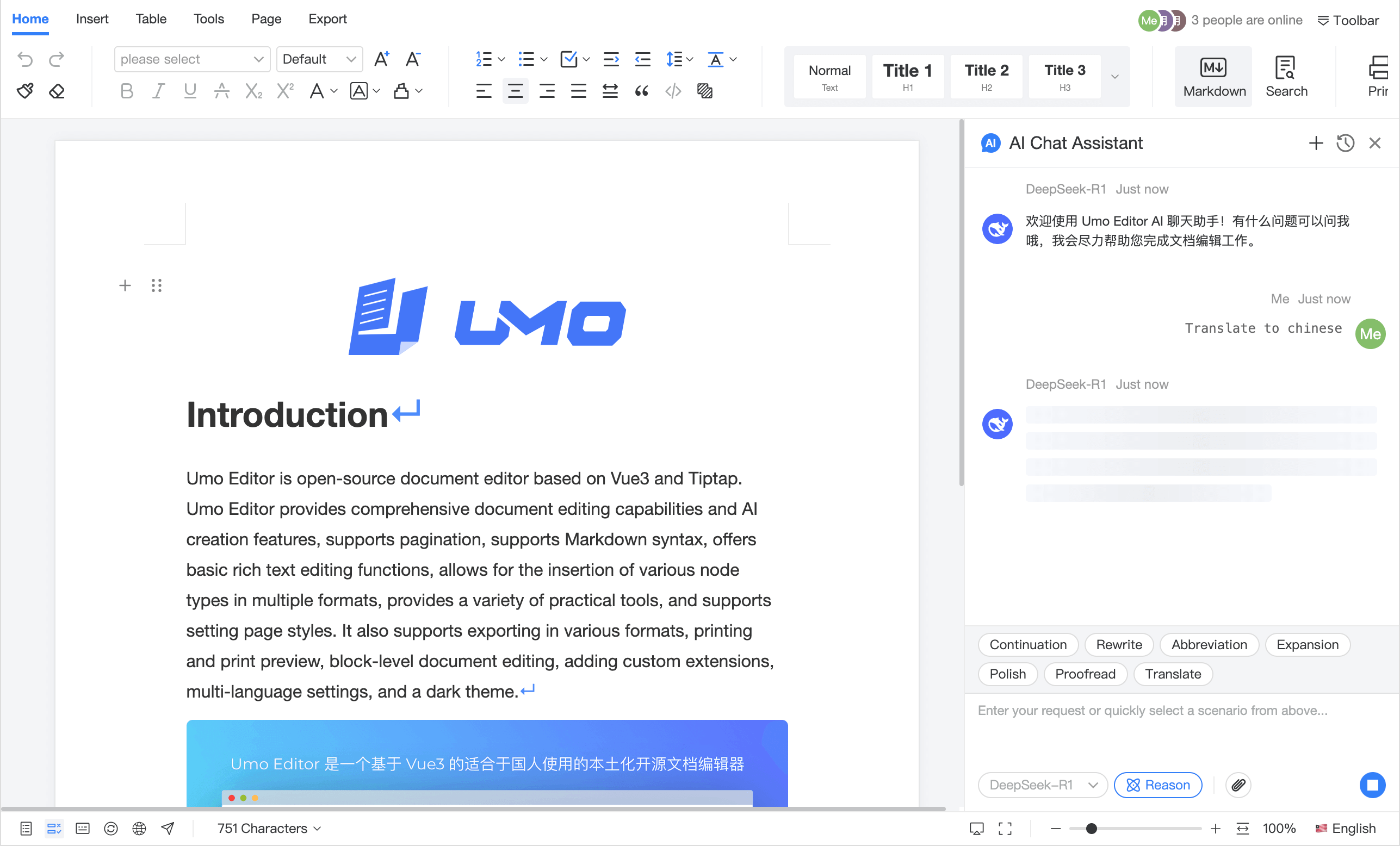
Demo video
Default configuration
// AI Chat Assistant default configuration
const defaultOptions = {
  ai: {
    chat: {
      enabled: false,
      showName: true,
      showAvatar: true,
      showDatetime: true,
      layout: 'both',
      welcomeMessage:
        'Welcome to Umo Editor AI Chat Assistant! Ask me anything and I will help you with document editing.',
      files: {
        enabled: true,
        maxSize: 1024 * 1024 * 10,
        maxCount: 3,
        allowed: {
          image: 'image/*',
          file: '.pdf,.doc,.docx,.ppt,.pptx,.xls,.xlsx,.txt,.md,.csv,.json,.xml',
        },
      },
      maxHistory: 10,
    },
  },
}
Configuration reference (ai.chat)
This page only covers options under options.ai.chat. For shared options (such as ai.models and ai.callbacks), see Configuration & Methods.
ai.chat.enabled
Description: Enable/disable the AI Chat Assistant entry/sidebar.
Type: boolean
Default: false
ai.chat.layout
Description: Message layout.
Type: 'single' | 'both'
Default: 'both'
ai.chat.showName
Description: Show sender name.
Type: boolean
Default: true
ai.chat.showDatetime
Description: Show message timestamp.
Type: boolean
Default: true
ai.chat.showAvatar
Description: Show avatar.
Type: boolean
Default: true
ai.chat.welcomeMessage
Description: Welcome message shown in the chat window.
Type: string
Default: defaultOptions.chat.welcomeMessage in the snippet above
ai.chat.maxHistory
Description: Maximum number of local history items (used by the history panel). The current version uses local history by default; for server persistence, implement your own storage strategy.
Type: number
Default: 10
ai.chat.files
Description: File upload configuration.
Type: object
Defaults:
enabled:boolean, enable file uploads. Default:true.maxSize:number, per-file size limit (bytes). Default:1024 * 1024 * 10.maxCount:number, max attachments per send. Default:3.allowed:object, allowed file types. Default:defaultOptions.chat.files.allowed.
Methods
openAIChat
Description: Open the AI Chat Assistant.
Parameters: none
Returns: void
closeAIChat
Description: Close the AI Chat Assistant.
Parameters: none
Returns: void