AI Suggestions
AI Suggestions is a context-aware hinting feature that predicts and generates subsequent content while the user types. Based on the current text and cursor position, it provides continuations and completions to reduce repetitive input and improve editing efficiency and writing flow.
It can be used for AI writing, smart hints, code completion, and text enhancement. Currently, AI Suggestions only applies to text-type nodes.
It supports single or multiple completion candidates. Users can accept with Tab. When multiple candidates are available, use the up/down arrow keys to switch between them.
Screenshots
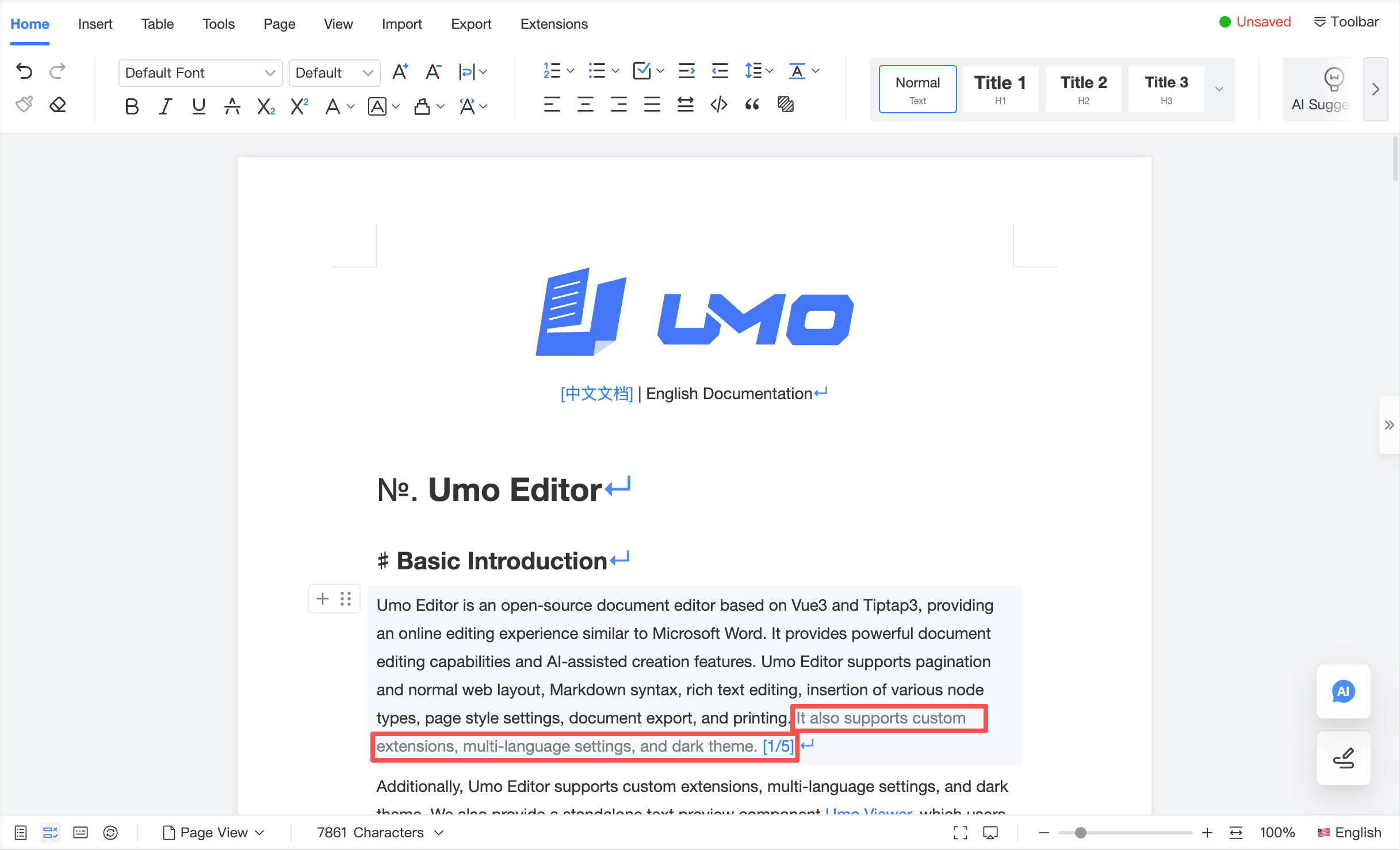
Configuration example
const defaultOptions = {
  // AI Suggestions configuration
  ai: {
    suggestion: {
      enabled: false,
      async onSuggestion() {
        console.log(
          'Key "ai": Key "suggestion": Please set the ai.suggestion.onSuggestion method'
        )
      },
      waitTime: 1000,
    },
  },
}
Configuration reference
ai.suggestion.enabled
Description: Enable/disable AI Suggestions.
Type: Boolean
Default: false
ai.suggestion.onSuggestion
Description: The core callback used to generate completion candidates from the current text context.
Type: AsyncFunction, Promise
Parameters:
params.text: full plain text of the current node, including the cursor marker, useful for LLM completion and context-aware prediction. The cursor position is represented by the placeholder configured inai.cursorMarker.params.node: Markdown content of the current node.params.document: full document Markdown including the cursor marker. The cursor position is represented by the placeholder configured inai.cursorMarker.
Returns: a suggestion string String or an array of suggestions String[].
Example:
async onSuggestion(text) {
  await new Promise((r) => setTimeout(r, 100))

  const suggestions = [
    'Suggestion 001',
    'Suggestion 002',
    'Suggestion 003',
    'Suggestion 004',
  ]

  // Return a single suggestion
  // return suggestions[0]

  // Return multiple suggestions
  const index = text.length % suggestions.length
  return suggestions.slice(index, index + 3)
}
ai.suggestion.waitTime
Description: Debounce time (ms) for triggering AI Suggestions while typing.
Type: Number
Default: 1000
Methods
For usage examples of methods, see: Methods.
enableAiSuggestion
Description: Enable AI Suggestions when the editor is ready and ai.suggestion.enabled is true.
Parameters: none
Returns: Boolean | Error
disableAiSuggestion
Description: Disable AI Suggestions when the editor is ready and ai.suggestion.enabled is true.
Parameters: none
Returns: Boolean | Error
toggleAiSuggestion
Description: Toggle AI Suggestions when the editor is ready and ai.suggestion.enabled is true.
Parameters: none
Returns: Boolean | Error