Introduction
Track Changes helps teams review edits by recording insertions and deletions as structured change marks. You can see what changed, where it changed, and who made the edit, then accept or reject changes to finalize the document.
Track Changes (revision) and Version History (versions) solve different problems: revisions are inline change marks inside the document; versions are collaboration snapshots that you can name, compare, and revert. See: Version History.
Screenshots
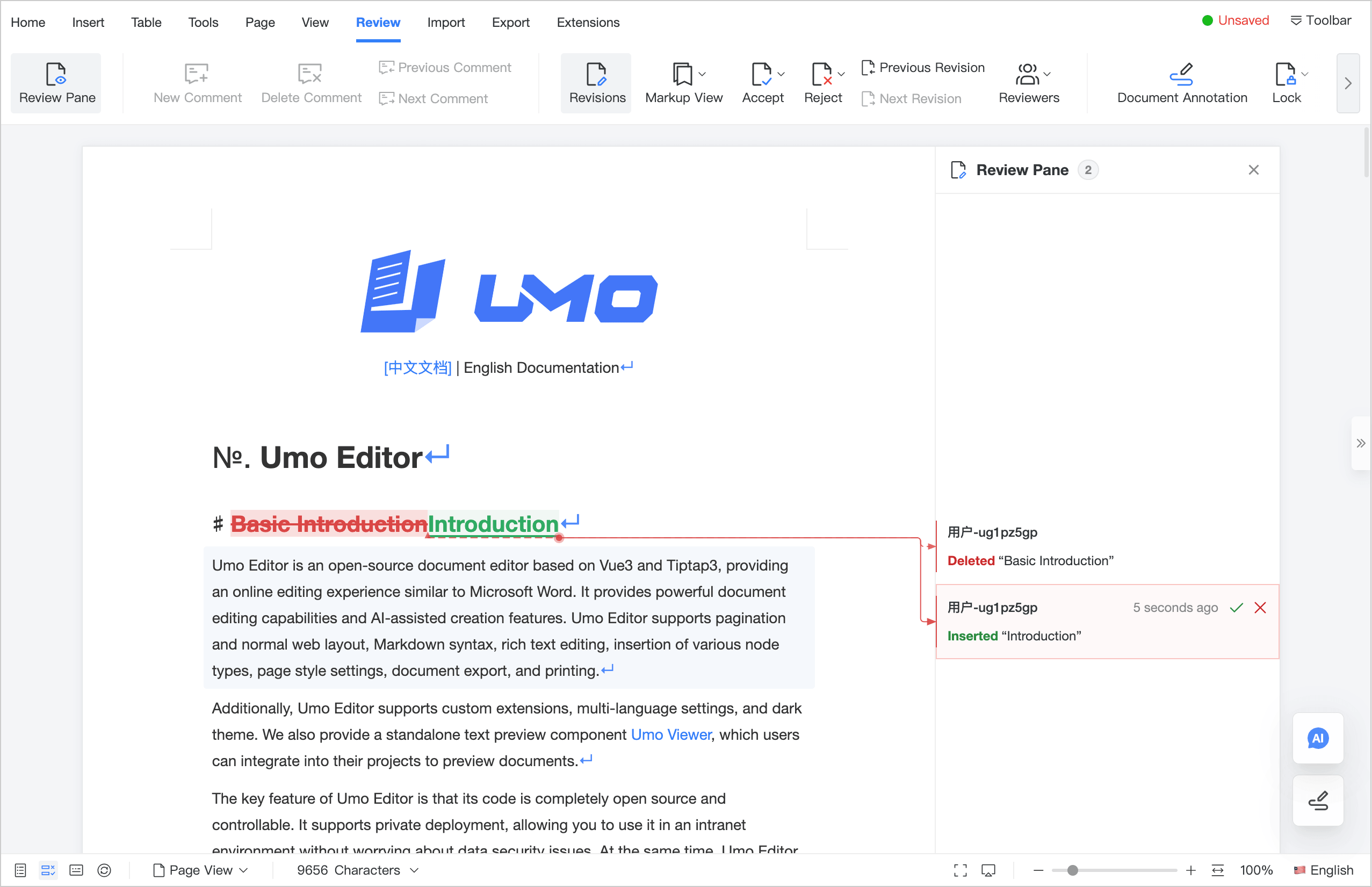
What you get
- Records insertions/deletions (text changes + node-level changes)
- Review panel with navigation, locate-in-document, accept/reject
- Four view modes (final-markup / final / original-markup / original)
- Filter changes by author (userId or userName)
- Public methods for reading state, filtering, and finalizing changes
Prerequisites
- Track Changes does not require collaboration and works in offline/single-user mode.
- In collaboration mode, revision marks are part of the document content and sync to all peers. To keep authorship accurate, set
options.useron each client.
Next steps
- Quick setup: Getting Started
- How marks & view modes work: Core Concepts
- Real workflows + integrations: Use Cases