Introduction
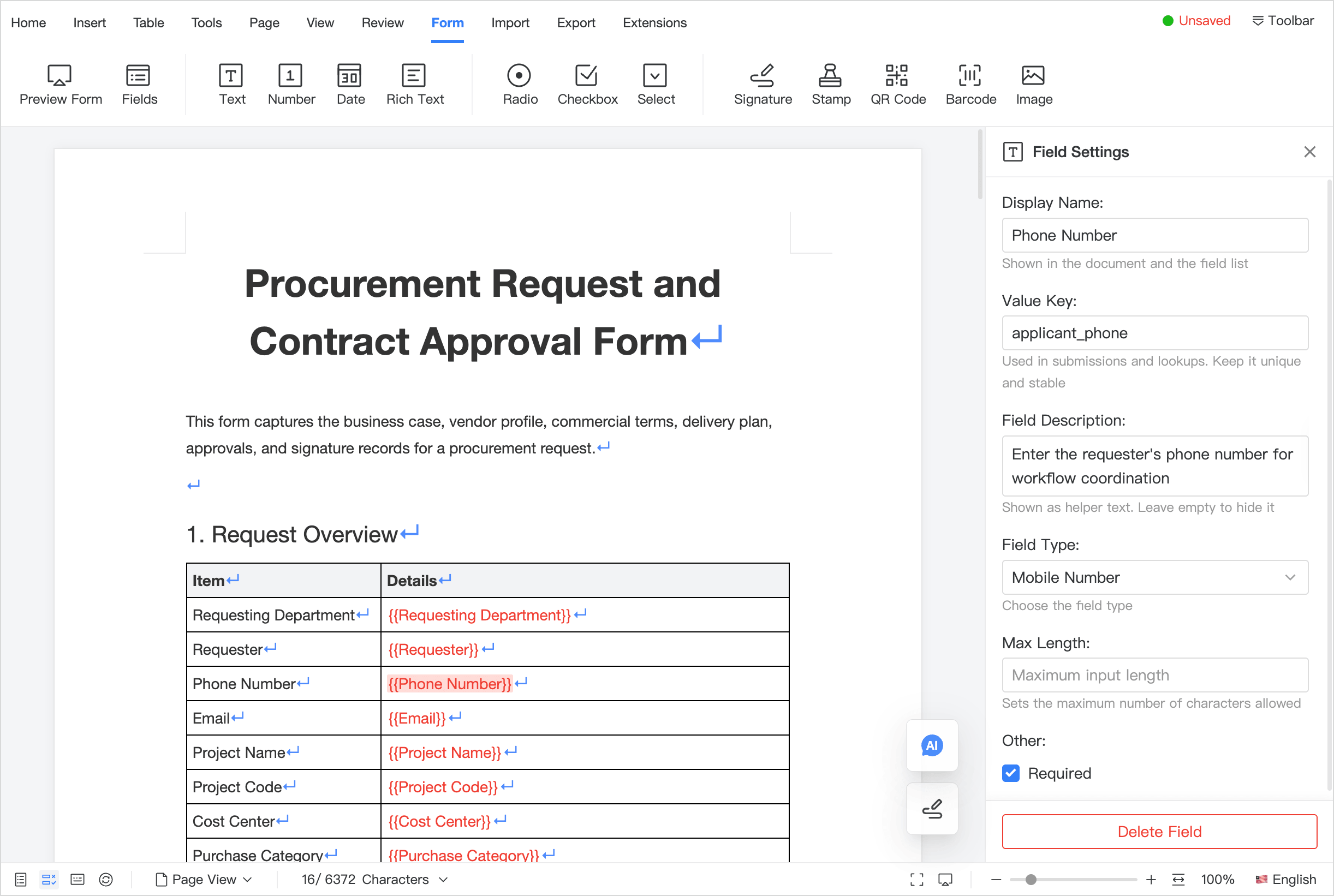
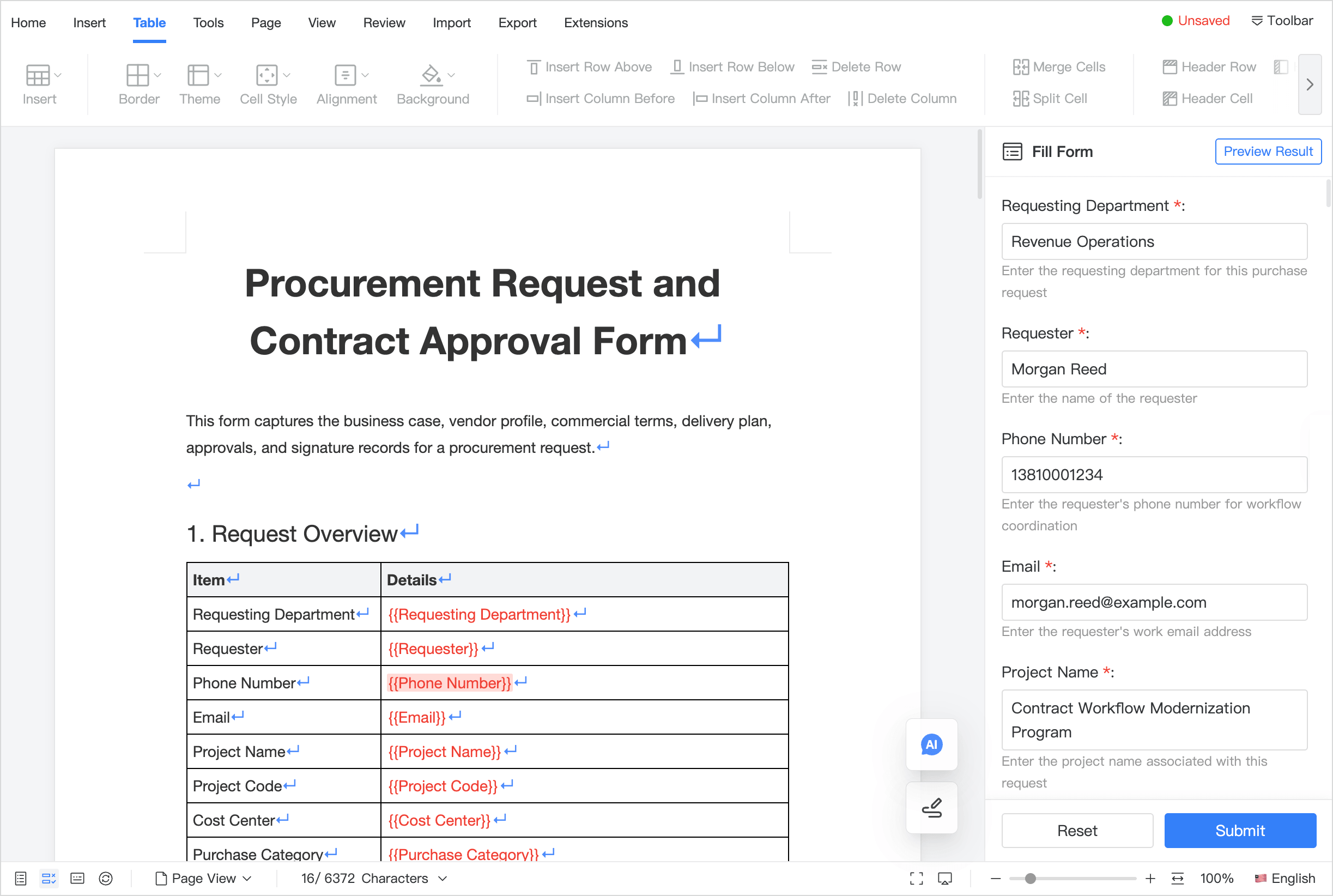
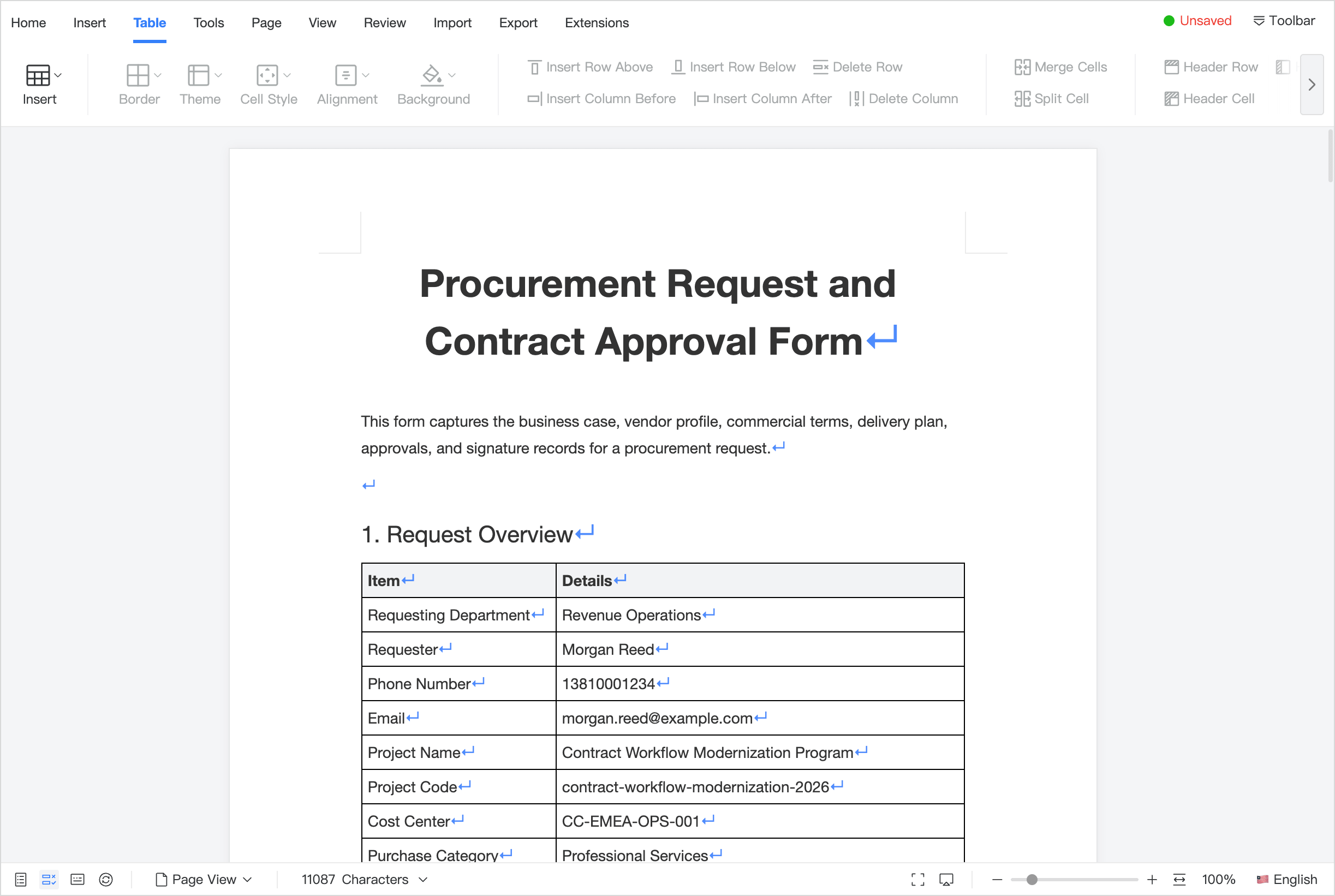
Document forms in Umo Editor Next are not traditional standalone page forms. Instead, they embed variables directly into the document body, allowing business systems to build a complete flow around “template design -> programmatic population or manual filling -> data collection -> result export / display / archive”.
They are also a strong fit for batch document generation. A business system can use the same template and pass in different variable values to generate many finalized documents with different content but a consistent layout, then further connect them to Umo Editor Next export capabilities to batch-produce delivery files such as Word, PDF, and images.
Screenshots
Who Should Read This
- Anyone who wants a fast overview of what “document forms” actually are
- Anyone evaluating whether this capability fits their business
- Anyone who wants to understand how it works with templates, export, comments, and track changes
Three Things to Remember First
- This is not an isolated form component. It is a complete chain of document templates, variables, data collection, and document generation
- It supports both manual data entry and batch document generation through code
- It is especially well suited to standardized documents, batch output, result archiving, and structured data collection
Capability Map
| Capability | For Whom | What It Solves |
|---|---|---|
| Template Design | Template authors | Turn standardized documents into reusable templates |
| Manual Filling | Business users / form fillers | Collect field values with validation and submission |
| Programmatic Population | Business systems / backend services | Generate different result documents automatically from variables |
| Result Viewing / Export | Reviewers / readers / external delivery | Review final output, archive it, and export formal deliverables |
It is especially well suited to the following kinds of documents:
- Contracts, agreements, undertakings, authorization letters, notices, application forms, approval forms, confirmation forms, and acknowledgment slips
- Reports, announcements, letters, circulars, certificates, explanatory documents, registration forms, information collection forms, questionnaires, and document-based forms
- Standardized business documents for hiring, onboarding, procurement approval, project delivery, expense reimbursement, administrative processing, and HR changes
- Healthcare documents such as electronic medical records, admission records, discharge summaries, examination request forms, informed consent forms, and follow-up records
- Education and training documents such as enrollment forms, student registration forms, grade statements, training sign-in sheets, and internship evaluation forms
- Government and public-service materials such as filing materials, registration forms, approval sheets, acknowledgment slips, and supporting documents
- High-frequency documents used by individuals or small teams, such as resumes, quotations, collaboration confirmations, event registration forms, and service records
What Problems It Solves
In many organizations, “document filling” scenarios usually involve several problems at once:
- The template skeleton is often edited by mistake, leading to inconsistent formatting and clauses
- The same type of document repeatedly needs different names, dates, amounts, project names, and other fields substituted
- Frontend HTML assembly or backend string replacement is difficult to maintain for complex layouts
- Filling results are not validated consistently, so missing values, wrong values, and invalid formats are common
- Filled values are hard to collect back in a structured way, so they cannot be used directly for saving, approval, analytics, or downstream business flows
- Generated results are disconnected from review, comments, export, and archiving workflows
- When some business data already exists, there is no natural flow for “prefill -> complete the rest -> submit”
The goal of document forms is to pull these issues into one unified flow:
- A template author designs the document template and variable placeholders in advance
- Business users fill the document manually, or backend services generate the document by passing values in batch
- Structured data collection happens during filling and generation, so business systems can save variable values, launch workflows, and run analytics
- Export, comments, track changes, locking, and collaboration can continue to be reused before and after generation
- Generated documents can continue to be edited, displayed as read-only results, or exported as formal files
- Historical results or existing system data can be passed back into
form.valuesto support draft restore, rejected resubmission, or “system prefill + manual completion”
Feature Checklist
- Insert variables directly into the body for text, numbers, dates, radio buttons, checkboxes, selects, rich text, and more
- Text-like variables can directly inherit inline formatting from the body, and generated results preserve styles such as bold, color, and highlight
- Support image-like variables such as images, signatures, stamps, QR codes, and barcodes
- Image-like variables support size and display attribute settings such as width, height, auto height, equal proportion scaling, and floating drag behavior; stamp variables also support preset sizes
- Support four working modes: template design, form filling, result preview, and programmatic population
- Support required rules, format validation, custom rule types, and submission callbacks
- Support collecting filling results as structured variable data for saving, approval, analytics, and archiving
- Support passing variable values through instance methods or initialization config to generate different documents in batch
- Support displaying generated content as read-only results, and also support exiting the form flow and continuing to edit it as a normal document
- Support connecting to Umo Editor Next export workflows to batch output Word, PDF, image, and other formal deliverables
- Support returning final content as
html / json / text
Recommended Reading Order
If this is your first time integrating it, we recommend reading in this order:
- Use Cases: first confirm whether it fits your business
- Getting Started: get the minimum flow working first
- Core Concepts: understand modes, boundaries, and how to choose the right approach
- Configuration and Methods: complete the formal integration
- Field Design: design your template fields properly
- Troubleshooting: handle programmatic population and fallback scenarios
How It Works with Other Features
Document forms are rarely used alone. They are typically combined with other capabilities:
- With Template Management: manage template sources, categories, and publishing status
- With Content Locking: protect the template skeleton and expose only variable areas
- With Document Export: produce final Word / PDF / image deliverables, and also build batch Word/PDF pipelines through repeated business-side calls
- With Document Comments: discuss filling instructions, exceptions, and approval notes
- With Track Changes: preserve clause changes during template maintenance
- With Version History: keep snapshots of template release points and generated results
- With Collaboration: co-author templates or jointly complete filling work